
Around 30% of printer cartridges sold every year go unused past their printed expiration date — quietly draining money from household budgets without most people ever noticing. If you've found an old cartridge buried in a drawer and wondered, does printer ink expire, the answer is yes. But whether that ink is still usable is a separate question entirely. The type of ink, how it's been stored, and what you plan to print all play a role in the decision. Before you throw it away or pop it in the printer, take a few minutes to understand what you're actually dealing with. Our full printer ink guide covers all your options in one place.
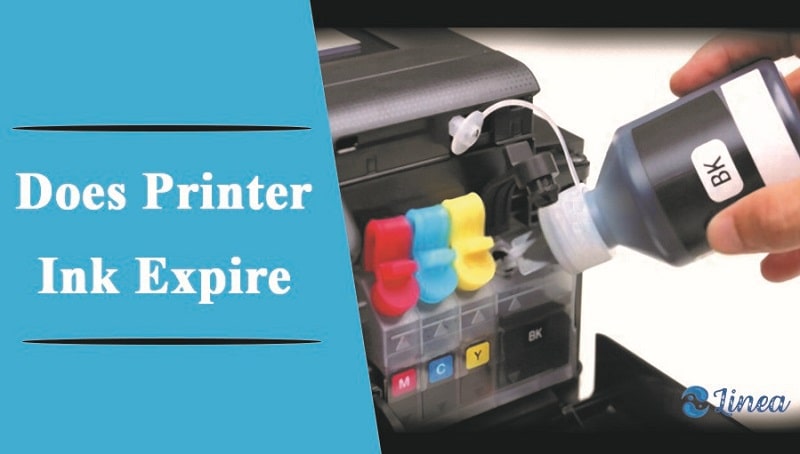
Printer ink has a shelf life stamped right on the cartridge and box — typically 18 to 24 months from the date of manufacture for sealed cartridges. Once you open and install a cartridge, that window shrinks to around six months of reliable use. Ink is a liquid, and like most liquids, it changes over time. Pigments settle. Dyes break down. The chemistry shifts in ways that affect print quality and, in some cases, your printer's long-term health.
This guide covers everything you need: how to store ink correctly, how to recognize when it's gone bad, whether expired ink is ever worth using, and how to protect your printer in the process. Think of it as the maintenance knowledge that keeps your home equipment running the way it should — the same practical mindset that saves you from expensive, avoidable problems.
Contents
Proper storage is the single biggest factor in how long printer ink remains usable. Most people don't think about it until the cartridge is already sitting well past its expiration date. A few simple habits from the start add months of usable life to every cartridge you buy — and save you the frustration of a failed print job at the worst possible moment.
The expiry date on a cartridge isn't an arbitrary number. It's the manufacturer's guarantee that the ink will perform as intended up to that point — producing accurate colors, flowing cleanly through the print head (the component that sprays ink onto paper), and not harming the printer mechanism in the process.
According to inkjet printing research, ink formulas are water-based or oil-based solutions that begin to degrade when exposed to air, heat, and light over time. Most sealed cartridges stay stable for 18 to 24 months from manufacture. Once opened and installed, reliable performance drops to roughly six months.
Two main ink types age differently, and knowing which you have matters:
You don't always need to check the date. Your prints will tell you when something has gone wrong. Watch for these signs before you commit to printing anything important:
These symptoms point to ink that has dried partially, settled out of suspension, or chemically broken down beyond usable quality. Running your printer's built-in nozzle check — available in the printer software on any Windows or Mac device — is the fastest way to confirm whether the problem is the ink or something else.
Pro tip: Always run a test print on plain paper before using a questionable cartridge on anything that matters. It takes ten seconds and tells you immediately whether the ink is still flowing correctly.
You can't stop ink from aging, but you can slow it down considerably. The difference between a cartridge that lasts 18 months and one that lasts 30 months comes down almost entirely to how it was stored and how often the printer was used. These aren't complicated habits — they just need to become routine.
Most cartridges fail before their time because of avoidable storage mistakes. Apply these rules consistently and you'll get full usable life out of every cartridge you buy:
This is the same kind of organized, intentional approach that pays off across every area of home maintenance. If you're already working on keeping your home organized, extending that discipline to your printer supplies fits right in — and it genuinely makes a measurable difference.
Before you toss a suspect cartridge in the bin, try these steps. You might get more use out of it than you expect:
Warning: Running two or more cleaning cycles back to back consumes a significant amount of ink. If your cartridge is already low, you can drain it completely dry before ever getting a clean print.
The honest answer: it depends entirely on what you're printing. Here's a direct comparison of how fresh and expired ink perform across the categories that matter most in day-to-day use.
| Category | Fresh Ink | Expired Ink |
|---|---|---|
| Print quality | Consistent, accurate colors | Faded, streaky, or color-shifted |
| Print head safety | No added risk to hardware | Risk of clogging nozzles |
| Photo printing | Full detail and color range | Poor accuracy, visible artifacts |
| Text documents | Sharp, clean output | Often usable for drafts only |
| Specialty media | Proper adhesion and drying | Smearing or poor adhesion |
| Printer warranty | No impact | May void coverage with some brands |
| Remaining shelf life | Full — 18–24 months sealed | None guaranteed |
Fresh ink wins in every category where output quality actually matters. The chemistry is intact, the viscosity (the thickness and flow of the liquid) is calibrated correctly, and the color profiles match what your printer expects. In practical terms, you get:
Using expired ink isn't always catastrophic, but it carries real risks worth weighing before you decide. Clogged print heads are the primary danger. When degraded ink dries and hardens inside the nozzle assembly, clearing it can require expensive professional service — or replacement of the print head entirely, which often costs more than a new budget printer.
Beyond hardware damage, expired ink simply produces unreliable output. Colors shift unpredictably, text edges blur, and anything printed on specialty media tends to smear or fail to adhere correctly. Ignoring this is the kind of maintenance mistake that compounds over time — similar to the common home cleaning mistakes that seem small in the moment but create larger problems later.
Tip: Printing at least one page per week keeps ink from drying in the nozzles. Regular use does more to prevent clogs than any number of cleaning cycles after the fact.
Context is everything here. Expired ink isn't automatically garbage — it just needs to be matched to the right situation. Use it wrong and you risk damaging your printer. Use it right and you squeeze real value out of something you'd otherwise throw away. The key is knowing which situation you're actually in.
For genuinely low-stakes printing, slightly past-date ink often performs well enough to be useful. Here are the situations where it's reasonable to try:
In these cases, the worst realistic outcome is a wasted sheet of plain paper. Always run a test print first and stop immediately if you see streaking or clogging patterns. Don't run multiple pages hoping the problem resolves itself — it almost never does, and you risk pushing dried ink deeper into the nozzle assembly.
Some situations don't leave room for compromise. Use fresh, in-date cartridges for:
The rule is straightforward: if the output matters, use ink you can trust. A fresh cartridge costs less than a damaged print head, a reprinted batch of materials, or the impression left by a blurry, faded document handed to someone who matters.
Yes, but unopened cartridges last significantly longer — typically 18 to 24 months from the manufacture date. Storing them correctly in a cool, dry location can push usable life beyond the printed date, though manufacturer performance guarantees no longer apply once that date has passed.
It can. Degraded ink that dries inside the print head nozzles causes clogs that are difficult and costly to clear. In severe cases, the print head requires professional replacement — a repair that often costs more than a new entry-level printer.
An installed cartridge typically remains reliable for about six months. After that, ink begins to dry in the nozzles even with ink still remaining in the reservoir. Printing at least one page per week keeps ink flowing and prevents drying.
Yes. Dye-based inks are more sensitive to moisture and UV light, so they tend to degrade faster and produce visible color shifts. Pigment-based inks are more chemically stable but can clump and settle over time, especially in cartridges that sit unused for months.
Results vary by how far past the expiry date the cartridge is. Mild cases produce slightly faded colors or faint streaking. Worse cases result in significant clogging, smearing, or color inaccuracies that make documents and photos look wrong — sometimes permanently damaging the print head in the process.
Manufacturers don't recommend it. The primary risk is condensation: when a cold cartridge warms back up to room temperature, moisture can form inside the cartridge. That moisture contaminates the ink and can corrode the print head contacts.
Check the label on the side or bottom of the cartridge itself — most manufacturers print a "use by" or expiration date there. If it's not on the cartridge directly, it's on the outer box the cartridge came in. The date is typically formatted as month and year.
Only if your actual print volume matches the quantity you're buying. Bulk purchasing saves money upfront but costs more overall if cartridges expire before you use them. Calculate how many cartridges you realistically go through before committing to a bulk order.
 |
 |
 |
 |

About Liz Gonzales
Liz Gonzales grew up surrounded by art and design in a New York suburb, with both parents teaching studio arts at the State University of New York. That environment sharpened her eye for aesthetics and spatial detail — skills she now applies to evaluating home products where form and function both matter. She has spent the past several years writing about lighting, home decor accessories, and outdoor living gear, with a particular focus on how products perform in real residential settings rather than showrooms. At Linea, she covers lighting fixtures and bulb reviews, outdoor and patio gear, and general home product comparisons.
You can Get FREE Gifts. Furthermore, Free Items here. Disable Ad Blocker to receive them all.
Once done, hit anything below
|
|
|
|