
According to the American Academy of Ophthalmology, nearly 80% of what you perceive and learn comes through your eyes — yet most people read under lighting that strains them unnecessarily. Finding the best light for reading isn't just about brightness. It's about matching the right type of light to when, where, and how you read. Whether you curl up on the couch or sit at a desk for hours, the lighting setup you choose directly affects your comfort, focus, and long-term eye health.

You might think any lamp will do, but light quality varies dramatically between bulb types, fixtures, and placement. A harsh overhead light creates glare on your pages, while a dim bedside lamp forces your eyes to work overtime. The good news is you don't need expensive gear to get this right — just a basic understanding of what each lighting type offers and where it falls short.
This guide walks you through the major reading light categories, when each one makes sense, common problems and fixes, and the myths that lead people astray. By the end, you'll know exactly how to set up a reading space that keeps your eyes comfortable for the long haul.
Contents
Not every light suits every reading scenario. The best light for reading depends on what you're doing, where you're sitting, and what time of day it is. Here's how to match the light to the moment.
Task lighting — desk lamps, clip-on lights, floor reading lamps — puts a focused beam right where you need it. Use task lighting when you're:
Skip task lighting when you're reading casually on a tablet or phone. The screen provides its own backlight, and adding a focused lamp can create competing light sources that cause glare on the display. If you're curious whether LEDs specifically work well for nighttime reading, our guide on whether LED light is good for reading at night covers the details.
Ambient light — ceiling fixtures, recessed cans, natural window light — fills the room evenly. On its own, it's rarely enough for reading. The issue is contrast: if only your book is lit and the room is dark, your pupils constantly adjust between the bright page and dark surroundings.
Use ambient light alongside task lighting. A softly lit room with a focused reading lamp is the ideal combination. Skip overhead lighting as your sole reading source — it creates shadows from your head and hands that make the experience frustrating.
Pro tip: Keep ambient light at roughly 50% of your task light's brightness. This reduces the contrast ratio between your reading material and the room, which significantly lowers eye strain during long sessions.
Where you place your lamp matters as much as the bulb you choose. Follow these guidelines:
Understanding how the lumen brightness scale works helps you gauge whether your lamp delivers enough output for comfortable reading without overdoing it.
Brightness and color temperature are two separate things, and both affect your reading comfort. Brightness is measured in lumens — for reading, you generally want 450 to 800 lumens at the task surface. Color temperature, measured in Kelvin, describes whether light appears warm or cool.
For a deeper dive into how color temperature affects reading comfort, check out our breakdown of the best color temperature for reading. And if you're comparing specific bulb outputs side by side, our lumen comparison chart makes it easy to see the differences at a glance.
Glare on glossy pages or screens is the most common complaint. Here's how to fix it:
Shadows are the opposite problem — your body or hand blocks the light. The fix is almost always repositioning. If you can't move the lamp, try a light bar that mounts to the top of your desk or shelf. These spread light more evenly across the surface.
If your eyes feel tired after 20 to 30 minutes of reading, the lighting is likely the culprit. Check these factors:
A tidy, well-organized reading space also helps you stay focused longer. There's real science behind how tidiness impacts productivity — it applies to reading sessions just as much as work.
Quick check: If you're squinting or leaning closer to the page, your light is too dim. If you're turning away or shielding your eyes, it's too bright. Adjust until you can read at arm's length without either reaction.
This is probably the most widespread lighting myth. Reading in dim light does not cause permanent eye damage. According to research on visual acuity, your eyes adapt to low light — it just takes more effort. You'll experience temporary strain, fatigue, and possibly headaches, but no lasting harm.
That said, "no permanent damage" doesn't mean "no problem." Chronic reading in dim conditions leads to discomfort that discourages you from reading altogether. The best light for reading is one that lets you go for an hour without noticing the lighting at all.
Blue light glasses have become a massive market, but the evidence for their benefits during reading is thin. Standard LED bulbs and screens emit far less blue light than natural sunlight. The real issue with evening screen reading isn't the blue light wavelength itself — it's the overall brightness suppressing melatonin production.
If you read on a device before bed, dim the screen and use your device's built-in night mode. That does more than any pair of blue-light-blocking glasses. If you're still on old halogen bulbs and thinking about switching, our LED replacement guide for halogen bulbs walks you through the process.
Each lamp style has trade-offs. Here's a practical comparison to help you narrow it down:
| Lamp Type | Best For | Brightness Range | Adjustable? | Portability |
|---|---|---|---|---|
| Desk lamp (gooseneck) | Desk reading, studying | 400–800 lumens | Yes | Low |
| Clip-on book light | Bed reading, travel | 20–100 lumens | Limited | High |
| Floor reading lamp | Armchair, couch reading | 500–1000 lumens | Yes | Low |
| LED light bar | Desk or shelf mounting | 300–900 lumens | Some models | Medium |
| Ring light | Even facial lighting, video calls | 300–700 lumens | Yes | Medium |
For most people, a gooseneck desk lamp or an adjustable floor lamp offers the best combination of brightness, positioning, and value. Clip-on lights are great for travel but rarely bright enough for extended reading at home.
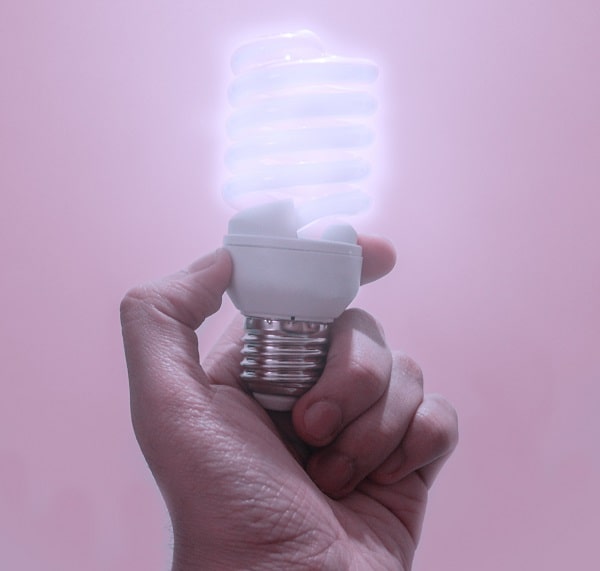
Your bulb choice affects brightness, color quality, energy cost, and lifespan. Here's a quick rundown:
For reading specifically, LED bulbs in the 2700K to 4000K range with a CRI (color rendering index) above 90 give you the most natural, comfortable light. Check our guide on LED light for reading if you want the full picture.
A clip-on book light or a wall-mounted reading lamp with an adjustable arm works best. Look for something with warm color temperature (2700K–3000K) and a focused beam so you don't disturb a partner. Aim for at least 50 lumens directly on the page.
For leisure reading, warm light (2700K–3500K) is more comfortable and less stimulating before bed. For studying or work-related reading, neutral to cool light (4000K–5000K) can help you stay alert. Neither is universally "better" — it depends on context.
Most experts recommend 450 to 800 lumens at the reading surface for comfortable, sustained reading. Fine print or detailed work may need the higher end. Casual reading on a tablet needs less since the screen generates its own light.
No. Reading in dim light causes temporary eye strain, fatigue, and headaches, but it does not cause permanent damage or worsen your vision over time. That said, adequate lighting makes reading far more comfortable and sustainable.
Yes, but keep it soft. A low ambient light behind or beside your screen reduces the contrast between the bright display and a dark room. This is easier on your eyes than reading a screen in total darkness.
LED bulbs with a high CRI (90+) and a color temperature between 2700K and 4000K are generally the most comfortable for extended reading. Avoid bulbs that flicker — look for "flicker-free" ratings.
Natural daylight is excellent for reading — it has a full color spectrum and high brightness. Position yourself so light comes from the side, not directly behind you (which creates glare) or directly in front (which causes squinting). Avoid direct sunlight on your pages.
Angle the light so it hits the page from the side rather than directly above. Use a diffused or shaded lamp instead of a bare bulb. For screens, adjust the lamp angle until you can't see the bulb's reflection on the display surface.
 |
 |
 |
 |

About Linea Lorenzo
Linea Lorenzo has spent over a decade testing home gadgets, cleaning products, and consumer electronics from his base in Sacramento, California. What started as a personal obsession with keeping his space clean and stocked with the right tools evolved into a full-time writing career covering the home products space. He has hands-on experience with hundreds of cleaning solutions, robotic and cordless vacuums, and everyday household gadgets — evaluating them for performance, value, and real-world usability rather than spec sheet appeal. At Linea, he covers home cleaning guides, general how-to tutorials, and practical product advice for everyday home care.
You can Get FREE Gifts. Furthermore, Free Items here. Disable Ad Blocker to receive them all.
Once done, hit anything below
|
|
|
|