
Picture this: you're setting up for a video call with a client, and you're stuck propping your iPad against a stack of books, hoping it doesn't slide mid-conversation. Or maybe you're trying to follow a recipe on your iPad while cooking, and every few minutes you're touching the screen with greasy fingers just to scroll down. Sound familiar? Finding the right iPad tripod changes everything — it frees your hands, steadies your shots, and turns your tablet into a proper workstation or camera rig wherever you are.
The good news is that 2026 has brought some genuinely excellent options across every price point and use case. Whether you need something ultraportable for travel, a towering 72-inch floor stand for livestreaming, or a compact flexible mount for a cluttered desk, there's a tripod built exactly for your situation. The tricky part is knowing which one matches your needs without wasting money on features you'll never use. That's exactly what this guide cuts through.
We've rounded up the seven best iPad tripods on Amazon right now, tested them against real-world scenarios, and broken down who each one is best for. You'll also find a complete buying guide in our reviews section and an FAQ covering the questions most people have before pulling the trigger. Let's get into it.
Contents


The Joby GripTight GorillaPod Stand PRO Tablet is the kind of product that earns a permanent spot in your bag. Joby has been making GorillaPods since before flexible tripods were cool, and this tablet version carries all the same DNA: bendable, grippy legs that wrap around almost anything — a railing, a tree branch, a chair arm — combined with a locking tablet mount that actually holds your iPad without slipping. The mount fits tablets from 7 to 10 inches, covering iPad mini, iPad Air, iPad Pro 9.7, Kindle Fire, Google Nexus 9, Samsung Galaxy Tab, and more, so whatever you're running in 2026, it almost certainly fits.
What makes the GorillaPod stand out from cheaper knockoffs is the build quality. The rubberized leg joints have real resistance — they hold their position once you bend them, unlike flimsy alternatives that slowly droop under the weight of your device. The locking mount rotates cleanly between portrait and landscape mode, and it stays put during video recording even on vibrating surfaces. If you're shooting cooking videos, following along with a workout app, or setting up a hands-free camera for a home repair job, this tripod gives you positioning options that a rigid stand simply can't match.
It's worth noting that the GorillaPod works best as a compact desktop or wrap-around stand rather than a tall floor tripod — it's not going to give you eye-level height when you're standing. But for desk setups, kitchens, and outdoor adventures where you need something small and rugged, it's genuinely unmatched. Think of it like a reliable piece of everyday carry gear — compact, dependable, and built to handle whatever situation you throw at it.
Pros:
Cons:
If you need a full-height tripod that handles both your iPad and your phone simultaneously, the UBeesize 67-inch stand is one of the best setups you'll find in 2026. The headline feature is the dual-holder design: one clamp for tablets from 9.9 to 15.7 inches (that means iPad Pro 12.9, large Samsungs, even the largest iPads on the market), and a separate phone holder compatible with virtually any smartphone. It's genuinely useful for content creators who want to capture dual angles at once, or for teachers and presenters who need their notes on one device while displaying something else on another.
The tripod itself extends from 15 inches all the way to 67 inches with quick-flip height locks that are easy to operate even mid-session. The rotatable ball head lets you dial in any angle — horizontal, portrait, tilted — without needing to reposition the entire stand. The build quality feels solid for the price range: the legs spread wide enough for genuine stability, and the flip locks hold their position reliably under the weight of a large tablet. Setting it up takes about 30 seconds, which matters when you're preparing for a live class or Zoom call.
This stand is a particularly strong pick for teachers, presenters, lecturers, and anyone doing regular video calls from a consistent location. It's bulkier than the mini options on this list, but that extra size buys you real stability and the versatility of two device holders in one package. If your workflow involves regularly switching between seated and standing positions at a desk, the wide height range means you won't need to buy two separate stands.
Pros:
Cons:
The ZUZUXI Mini Flexible Tripod punches well above its size class. It's designed for tablets from 4.7 to 13 inches, which means it works with everything from your iPhone to an iPad Pro 12.9, and the three bendable rubber legs — reinforced internally with aluminum strips — give you grip options that a standard rigid tripod never could. You can stand it on a flat desk, wrap the legs around a pole or fence, hook it onto a railing, or prop it against a tree while you record outdoor content. The premium rubber-over-aluminum construction gives it serious durability for something this small.
The 360° ball head rotates fully horizontally and tilts 135° vertically, covering portrait, landscape, and diagonal angles with a simple tighten-screw lock. The stand supports devices up to 3kg (6.6 lbs), which handles even the heaviest iPad Pro with a case attached. One genuinely useful bonus: the ZUZUXI includes a wireless Bluetooth remote with a 10-meter range for hands-free recording — though it's worth noting the remote only works with smartphones, not tablets directly. Still, for photography sessions where you want to trigger shots without touching the device, it adds real value.
This tripod is the right call for people who want maximum portability without sacrificing stability. It tucks into a backpack without taking up meaningful space, and it works on surfaces where a three-legged rigid tripod would simply slide or tip. If you're the kind of person who works in different spots throughout the day — home office, café, outdoor locations — the ZUZUXI is the tripod that travels with you without becoming a burden. Much like finding the right tool for a creative hobby, having the right compact tripod makes the whole experience smoother.
Pros:
Cons:
When you need your iPad at full standing height — or even above your head — the XXZU 72-inch floor stand is the answer. It extends from 33 inches all the way to 72 inches via flip locks, and that extra inches at the top end matter more than you'd think. For musicians reading sheet music while playing, presenters standing at the front of a room, or content creators who need an overhead angle, that 72-inch reach covers scenarios the standard 67-inch options simply can't. The three-level angle adjustment on the legs is a genuinely smart design — at 83 degrees, the legs spread almost flat for maximum stability and an ultra-low shooting position, which is useful for floor-level product shots or yoga instruction videos.
The 360° ball head rotates freely and locks securely with a single knob, letting you quickly switch between vertical, horizontal, and any diagonal angle you need. The tablet holder fits devices from 4.7 to 13 inches and includes a carrying case, which is a thoughtful addition at this price point. Flip locks along the pole make height adjustments genuinely fast — you're not fighting with twist-locks that require two hands and a wrestling match. The legs fold down flat for transport, and the overall package is manageable enough to carry from room to room without frustration.
The XXZU floor stand is a strong pick for musicians, yoga instructors, classroom teachers, and anyone who spends time presenting or streaming from a standing position. The included carry case means it's also viable for people who move it between locations regularly. If you've ever found yourself stacking books under a shorter tripod to get the height you need, this stand eliminates that problem permanently.
Pros:
Cons:
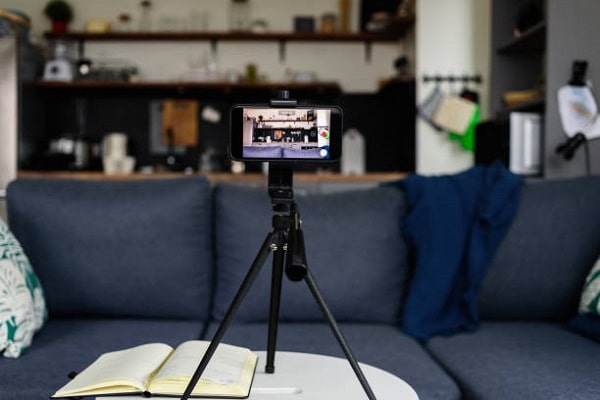
The MACTREM 67-inch tripod is the definition of a complete kit. For one price you get an aluminum tripod, a spring-loaded holder that fits phones and tablets with widths from 4 to 12.9 inches, a wireless remote, a carry bag, and a 3-way pan head (a mount that allows you to tilt up/down, pan left/right, and rotate) with dual bubble levels built right in. Most tripods at this price make you buy the remote separately. MACTREM bundles everything you need to start shooting the moment it arrives. At just 1.6 lbs for the full setup, it's impressively lightweight for an aluminum tripod that extends to 67 inches.
The spring-loaded holder uses thick rubber pads to grip your device without scratching the finish — it works on anything from a slim iPhone to a full iPad Pro 12.9 and accommodates cases too. The 3-way pan head with bubble levels is a standout feature for anyone doing photography or video work where straight framing matters. The bubble levels tell you at a glance whether your shot is level, which saves significant time compared to eyeballing it. The tripod folds down small enough to fit in its included carry bag, making it genuinely travel-ready for outdoor shoots or studio-away-from-studio sessions.
Where the MACTREM really shines is for vloggers, family video recorders, and anyone who wants one tripod that handles phones, tablets, and lightweight cameras without buying multiple adapters. The non-slip rubber leg pads provide solid footing on hardwood, tile, grass, and gravel. If you're building out a home content creation setup on a budget, this tripod gives you more usable features per dollar than almost anything else on this list.
Pros:
Cons:
The JOILCAN 68-inch tripod distinguishes itself with a wireless remote that actually delivers reliable performance. The Bluetooth remote has a 33-foot (10-meter) effective range, works with both iOS 5.0+ and Android 4.3+ devices, and connects quickly without the pairing hassles that plague cheaper remotes. For solo content creators who need to trigger the camera from across a room — or from within a scene — a dependable wireless remote is a game-changer, and JOILCAN gets the implementation right. The tripod itself extends to 68 inches with the same high-quality aluminum alloy construction you'd expect from a professional photography tripod.
The 3-way pan head with dual bubble levels gives you precise framing control and 360-degree swivel for panoramic shots. Non-slip rubber feet keep the tripod locked in position on smooth floors, which matters when you're recording video and can't have any drift mid-take. The included quick-release plate (a removable adapter between the tripod head and your device) means you can detach and reattach your setup instantly without re-leveling from scratch. Maximum load capacity is 9.26 lbs, so it handles tablets with chunky cases and lightweight cameras without breaking a sweat.
The full kit comes with the tripod, universal holder, wireless remote, carry bag, and an extra quick-release plate — and the whole package weighs only 1.68 lbs. That's competitive with the MACTREM above, and the 33-foot remote range gives it a meaningful edge for live streaming setups where you need to trigger from farther away. This is the pick for vloggers, photographers doing solo shoots, and anyone who records themselves regularly and wants reliable hands-free triggering without wrestling with a timer or a shaky tap-to-record button.
Pros:
Cons:
The Fotopro flexible tripod is the lightest and most travel-friendly option on this list — 320 grams and 25.5 cm when folded, which means it fits comfortably in a jacket pocket or the front pouch of a backpack. The rubberized flexible legs twist and hold their shape the way you expect from a quality GorillaPod-style design, letting you wrap it around tree branches, bike handlebars, poles, railings, chairs, and any other surface that a rigid tripod leg can't reach. This is the tripod for people who are constantly on the move and need something that adapts to unpredictable environments.
The 360-degree swivel ball head with 90-degree tilt covers portrait, landscape, and any angle in between, and it snaps into position solidly once you've found your angle. The cold shoe mount (a universal attachment point for accessories like microphones or small lights) adds versatility that you rarely see on mini tripods at this price — if you're running a vlogging setup with an external mic, the cold shoe means you can attach it directly to the tripod rather than hunting for a separate bracket. The phone and tablet holder fits devices within its compatible size range and locks them in without slipping during recording.
Where the Fotopro falls short compared to full-height floor tripods is obvious — you're not getting eye-level height from a folded 25.5 cm stand. But that's not its job. Its job is to go places that a full-size tripod can't, set up in seconds without a carry bag, and handle recording in environments that would destroy a delicate tall tripod. For travel content creators, cyclists, hikers, and anyone who needs a tablet mount that fits into an already-full bag, the Fotopro earns its spot on this list without any asterisks. If you're assembling a creative tech toolkit, it pairs naturally with other compact gear — similar logic applies when picking any portable accessory, like finding the right home office tech setup that doesn't take over your workspace.
Pros:
Cons:
Shopping for an iPad tripod sounds straightforward until you're staring at a page of options with overlapping specs and vague product descriptions. These four criteria cut through the noise and help you match the right tripod to how you actually use your iPad.
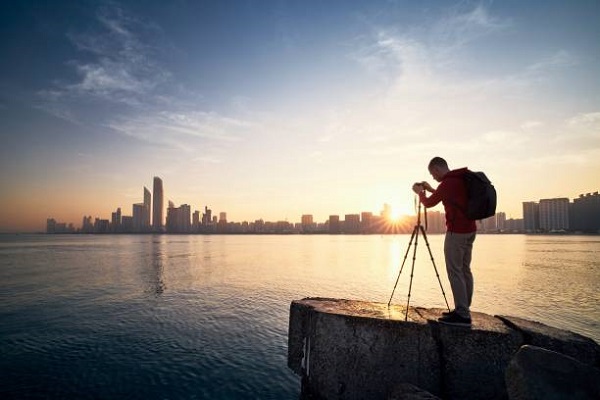
Height is the single most important spec to get right, and most buyers underestimate how much it matters. If you're using your iPad for video calls at a desk, a stand with a range of 15 to 30 inches is probably enough. If you present standing up, teach classes, or do livestreaming from a full standing position, you need at least 60 inches — ideally 67 to 72. The XXZU 72-inch and UBeesize 67-inch models are specifically built for standing-height use, while the mini flexible tripods (Joby, ZUZUXI, Fotopro) are optimized for desk and wrap-around placement. Don't compromise on this: buying a tripod that's two inches too short means you'll always be hunching or stacking books.
According to photographic tripod design principles, the ideal eye-level height for video recording while standing is roughly 60 to 65 inches for most adults — so a 67-inch tripod at full extension gives you comfortable headroom above that baseline.
iPad tripod holders are almost always adjustable spring-loaded clamps, but their maximum width varies significantly between products. The width you need to check is your tablet's physical width in landscape mode — not the screen diagonal. A 12.9-inch iPad Pro measures about 8.5 inches wide in portrait, which fits comfortably in any holder with a maximum width of 9 inches or more. If you're using a large tablet with a thick protective case, add roughly 0.25 to 0.5 inches to your measurement and confirm the holder's maximum before purchasing. The UBeesize handles up to 15.7 inches — wide enough for virtually any tablet currently on the market, including large Android slabs that most holders can't accommodate.
Aluminum tripods (MACTREM, JOILCAN, MACTREM) are lighter and more durable than full plastic equivalents at the same price point. The tradeoff is that pure aluminum legs don't flex — which is why the GorillaPod-style tripods use rubber-coated aluminum strips inside flexible legs, giving you both durability and bendability. For a standard rigid floor tripod, aluminum is the right call: it handles the weight of a tablet with a case (typically 1.5 to 2 lbs) without flexing under load, and it resists the kind of accidental knocks that crack plastic joints. If portability is your top priority, look at the weight spec — a well-made aluminum tripod should come in under 2 lbs for a 67-inch model.
Not all tripod accessories are equally useful. A wireless Bluetooth remote is genuinely valuable if you record yourself solo — it lets you start and stop recording from up to 33 feet away without running back to tap the screen. Bubble levels (the small liquid-filled indicators built into some heads) matter for photography and video where a crooked horizon looks unprofessional. A carry bag is worth having if the tripod travels with you regularly; without one, the legs tend to scratch other gear in your bag. Avoid paying extra for cold shoe mounts unless you're already using an external microphone or light — they're a nice bonus but not a buying priority for most users. What you do want to confirm is that the quick-release plate (the piece that connects your holder to the tripod head) is a standard size, so you can replace or upgrade it without hunting for proprietary parts.
You need a holder that accommodates at least 8.5 to 9 inches of width (the physical width of a 12.9-inch iPad Pro in portrait mode). Most of the tripods on this list handle it, but confirm the maximum holder width in the specs before buying — especially if you're using a thick case, which can add 0.25 to 0.5 inches. The UBeesize and XXZU models are the safest bets for large iPads.
Yes, if the tripod head has a standard 1/4-20 screw mount (the industry-standard camera attachment size), you can attach a lightweight camera directly. The MACTREM and JOILCAN models both support lightweight cameras alongside phones and tablets. Check the maximum load capacity — most of the stands on this list support 6 to 9+ lbs, which covers point-and-shoot cameras and mirrorless bodies comfortably.
Absolutely — they're one of the best upgrades you can make for video call quality. A tripod holds your iPad at eye level without shaking, which immediately makes your video look more professional than a phone propped against a mug. For desk video calls, a stand with at least 15 to 24 inches of height works well. The UBeesize dual-holder model is especially practical because it holds both your iPad for the call and your phone as a second angle or note reference simultaneously.
A ball head is a single spherical joint that lets you rotate and tilt in any direction freely — you loosen one knob, reposition, then tighten. It's faster and covers more angles, which is why most iPad tripods use it. A 3-way pan head has separate controls for horizontal pan (left/right), vertical tilt (up/down), and rotation, giving you more precise, independent control over each axis. The 3-way pan head is better for photography where exact framing matters; the ball head is better for quick repositioning during video or presentations.
Yes, most of the options on this list are designed to work indoors and outdoors. The flexible GorillaPod-style models (Joby, ZUZUXI, Fotopro) are especially useful outdoors because their bendable legs can grip uneven ground, tree branches, and railings where a standard rigid tripod would tip over. For outdoor use on flat ground, look for non-slip rubber feet and a wide leg spread for stability. Wind is the main enemy of tall tripods outdoors — keep the height lower than maximum in breezy conditions and position the legs perpendicular to the wind direction.
For most adults between 5'4" and 6'2", a 67-inch tripod at full extension places the camera slightly above eye level, which is actually the ideal position for video recording — it creates a slight downward angle that's flattering and makes your background look cleaner. If you're taller than 6'2" or you want to capture footage from an elevated angle looking down, the XXZU 72-inch model gives you that extra headroom. For sitting or desk use, you'll rarely extend the tripod past 30 to 40 inches regardless of the maximum height.
The right iPad tripod isn't the one with the most features — it's the one that disappears into your workflow and makes everything you were already doing noticeably easier.
 |
 |
 |
 |

About Liz Gonzales
Liz Gonzales grew up surrounded by art and design in a New York suburb, with both parents teaching studio arts at the State University of New York. That environment sharpened her eye for aesthetics and spatial detail — skills she now applies to evaluating home products where form and function both matter. She has spent the past several years writing about lighting, home decor accessories, and outdoor living gear, with a particular focus on how products perform in real residential settings rather than showrooms. At Linea, she covers lighting fixtures and bulb reviews, outdoor and patio gear, and general home product comparisons.
You can Get FREE Gifts. Furthermore, Free Items here. Disable Ad Blocker to receive them all.
Once done, hit anything below
|
|
|
|